List table for Range of Values checklist type
When you select Range of Values for the Checklist Type, the List table appears. Use this table to enter the text that the inspector selects to score checklist items.
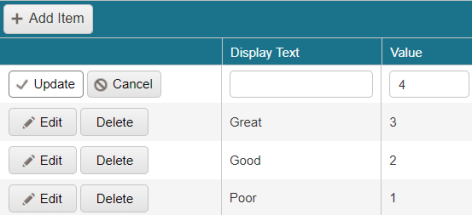
Fields on the List table
| Field | Description | Notes |
|---|---|---|
|
Add Item |
Adds a new row to the table. |
|
|
Actions |
Options for saved rows include:
Options when adding or editing a row include:
|
|
|
Display Text |
Enter the text that the inspector selects to apply the corresponding value. |
Required. |
|
Value |
Enter the numerical value to add to the overall score when this option is selected. |
Required. |

 )—Change the Display Text or Value for the row.
 )—Save your changes.
 )—Remove the new row or, if you are editing the row, close the row without saving changes.