Calendar screen
The Calendar screen in the Preventive Maintenance component of the Maintenance software displays a calendar view of your preventive maintenance tasks.
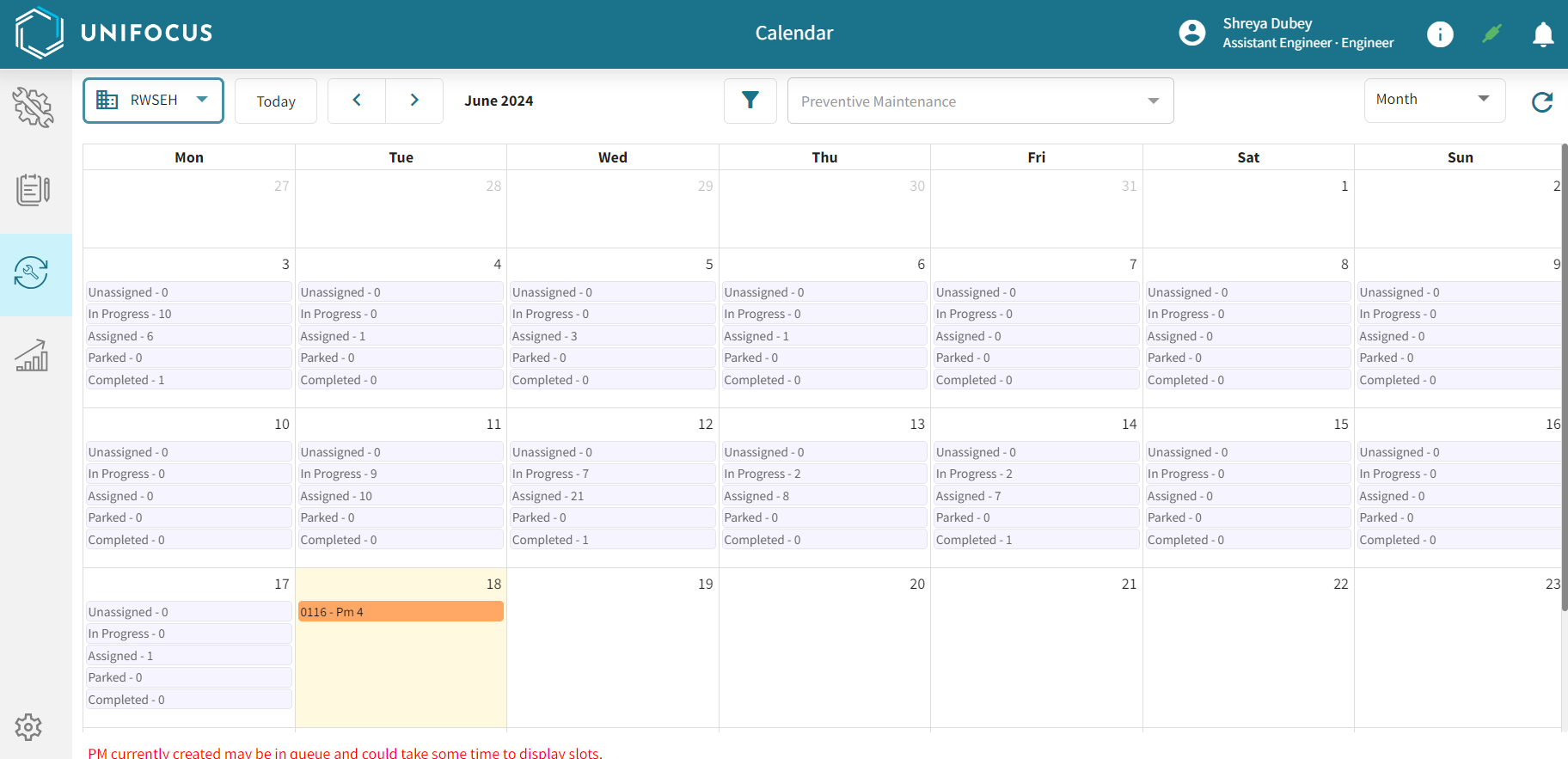
Fields on the Calendar screen
| Field | Description | Notes |
|---|---|---|
|
|
Select the property from the drop-down list. |
Required. This option is available only if you are a property user. |
|
Today |
Highlights the current day in the calendar. |
|
|
Previous / Next |
Depending on which calendar view you are using, these buttons do the following:
|
|
|
Current time |
Depending on your calendar view, this text displays the current month and year. |
Read-only. |
|
Filter |
Opens the Filters dialog box where you can apply filters to the Calendar screen. |
|
|
Preventive Maintenance filter |
Select the specific preventive maintenance task by which to filter the Calendar screen. |
|
|
Information selector |
From the drop-down list, select the information that you want to display:
|
This control is available only when viewing the Week view of the Calendar screen. |
|
Refresh |
Refreshes the screen. |
|
|
Calendar view |
The main section of the screen displays a calendar view of the screen in one of the following formats:
|
Default: Month |
 Property


