Punch to Earning Mapping
The Time Clocks at your property are configured with additional punch types. For example, in addition to In, Out, Break, and Back, employees also have access to punch types such as Enter Tips, Memos, or Meal. Use the Punch to Earning Mapping screen to specify what type of earning should be applied to the employee's Time Card for each punch type. For example, if the Memo 1 punch type is mapped to the Turn Downs earning type, the number that an employee enters for Memo 1 at the Time Clock will be associated with the Turn Down earning type in the employee's Time Card.
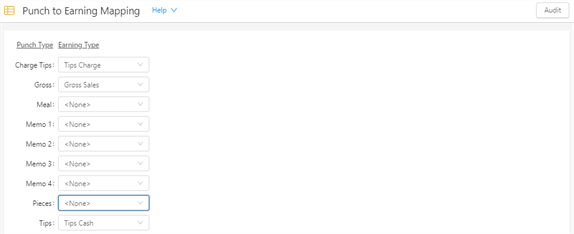
Fields on the Punch to Earning Mapping screen
| Field | Description | Notes |
|---|---|---|
|
Audit |
View a history of changes to the screen. |
|
|
Punch Type |
Type of punch to associate with an earning. Options include:
|
Read-only. These punch typesare hard-coded into your system and cannot be edited. |
|
Earning Type |
Select the type of earning you want to associate with the punch type. |
|