Adding a job description
Note: Ensure that you have a corporate user rights to add a job description.
-
From the main menu on the left side of the screen, select System Configuration (
 ).
).
The System Configuration module opens in a separate tab. By default, the User Console screen appears. -
Select Service Configuration (
 ) > Job Manager. The Job Manager screen appears.
 -
Select (
 ) > Job Description.
The Add Job Description dialog box appears.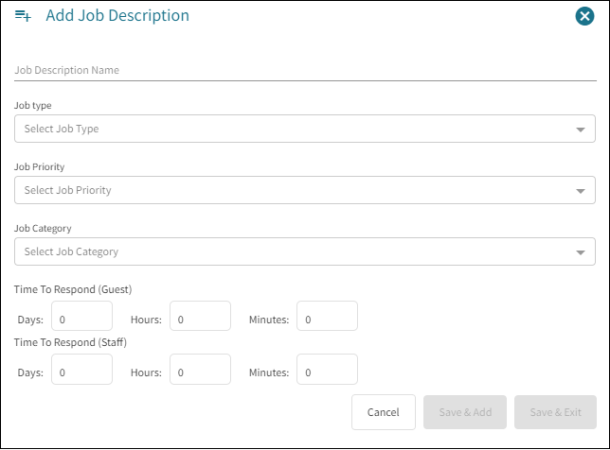
- Enter the Job Description Name.
- Select the Job Type from the drop-down list.
- Select the Job Priority from the drop-down list.
- Select the Job Category form the drop-down list.
- Enter the Time to Respond for Guest in days, hours, and minutes.
- Enter the Time to Respond for Staff in days, hours, and minutes.
- Select Save & Add to add more job categories or click Save & Exit.
An Alert Success message appears.