Status Change Reasons
Status change reasons explain why an employee left a job.
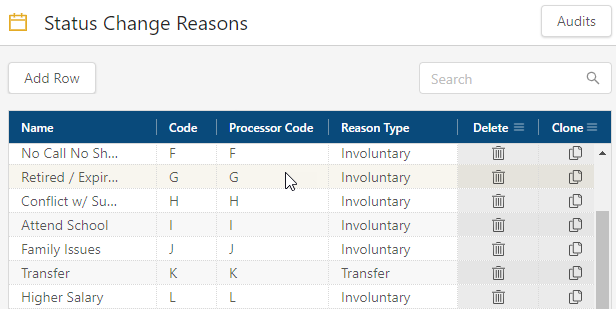
Fields on the Status Change Reasons screen
| Field | Description | Notes |
|---|---|---|
|
Audits |
View a history of changes to the screen. |
|
|
Add Row |
Creates a new row. |
|
|
Search |
Type your search criteria in the field. The table automatically updates to meet the search criteria. |
|
|
Name |
Name of the status change reason. |
|
|
Code |
A unique identifier provided by your organization. | |
|
Processor Code |
Code that is used when exporting earnings to your payroll processor. |
|
|
Reason Type |
Indicates whether the termination was involuntary, voluntary, or the result of a transfer. |
|
|
Conflict ( |
Indicates that the new row cannot be saved because a required field is empty or contains a duplicate entry. |
|
|
Delete ( |
Removes the row from the table. |
|
|
Clone ( |
Creates a copy of the row. |
|
 )
) )
) )
)