Task Sheet Set pane
The Task Sheet Set pane opens when you add or edit a task sheet set from the Task Sheet Set screen.
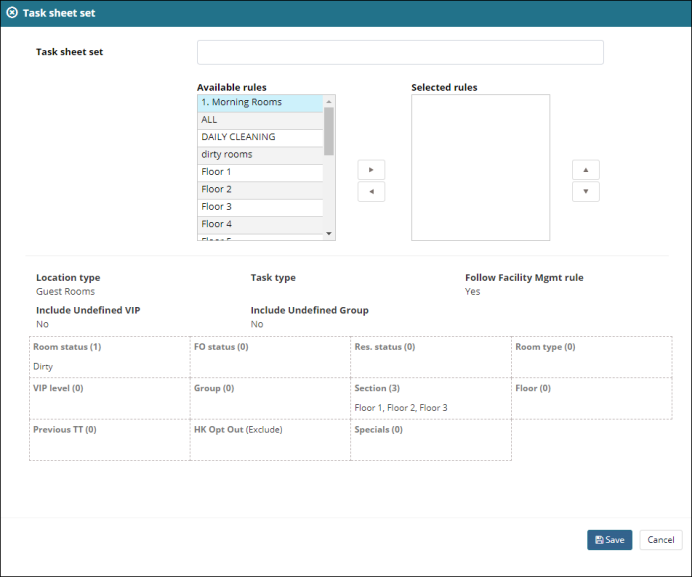
Fields on the Task Sheet Set pane
| Field | Description | Notes |
|---|---|---|
|
Task sheet set |
Enter the name of the task sheet set. |
Required. |
|
Available rules |
This section lists all available rules that can be applied to the task sheet set. Use the right arrow ( |
|
|
Selected rules |
This section lists all rules that have been applied to the task sheet set. If necessary, use the left arrow ( Use the up arrow ( |
|
|
Task sheet details |
This section displays details associated with the task sheet set:
|
Read-only. |
|
Status grid |
This section displays information based on your rule selections. It includes:
|
Read-only. |
 ) to move selected rules to the Selected rules section and apply them to the task sheet set.
  ) to move selected rules back to the Available rules section and remove them from the task sheet set.
 ) and down arrow (
 ) to change the order and priority of rules.