Editing a schedule group
-
In the upper-left corner of the screen, select Access your applications (
 ).
).
The menu expands. -
Select Setup > Employee > Schedule Groups.
The Schedule Groups screen appears.
-
Edit the fields in the table as necessary.
 Click here for field descriptions.
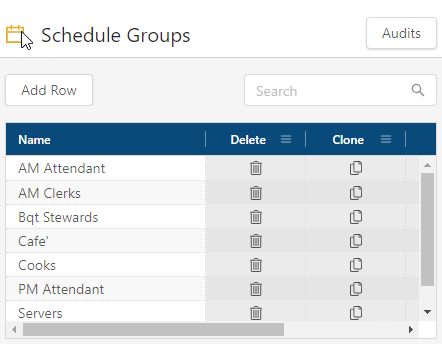
Fields on the Schedule Groups screen
Field Description Notes Audits
View a history of changes to the screen.
Add Row
Creates a new row.
Search
Type your search criteria in the field. The table automatically updates to meet the search criteria.
Name
Name of the schedule group.
Conflict (
 )
)Indicates that the new row cannot be saved because a required field is empty or contains a duplicate entry.
Delete (
 )
)Removes the row from the table.
Clone (
 )
)Creates a copy of the row.
Your changes are saved.
For more information, see Schedule Groups.