Labor Actuals menu
From the Labor Actuals menu, you can review and run all tasks that involve entering actual labor data for your organization. Entering actual labor data ensures more accurate and timely reporting. The Labor Actuals menu includes the following task screens:
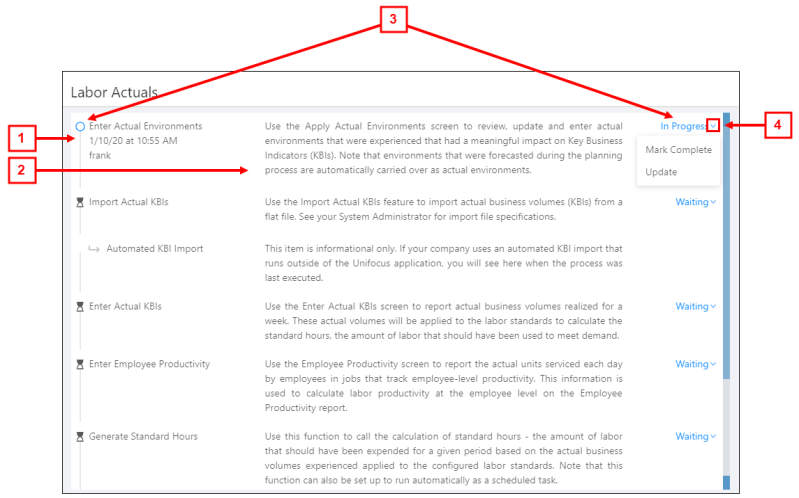
| # | Field | Description | Notes |
|---|---|---|---|
|
1 |
Task / screen name |
Name of the actuals task |
If the task is in progress, the additional information is displayed under the task name:
Read-only. |
|
2 |
Description of task |
Summary of the task. |
Read-only. |
|
3 |
Task status |
Both a textual and graphical indicator of the task's status. |
Read-only. |
|
4 |
Task actions |
Opens a drop-down menu of available tasks. |
|